



Stack of paper documents held together with colorful paper clips on a white background. Image courtesy of Adobe.
Consistent use of legal forms is essential for responsible collections management. Gift agreements, loan forms, and other standard documents clarify the museum’s obligations, protect its legal and ethical standing, and ensure shared understanding among donors, lenders, and staff. Standardized forms create a transparent framework that minimizes risk and strengthens institutional memory. In a constantly evolving collections environment, consistency in documentation is key.
Every stage of a collection’s life cycle depends on clear, consistent documentation. Gift agreements formalize the transfer of ownership and outline donor expectations, ensuring that future staff can interpret the terms without ambiguity. Loan forms define the conditions of care, display, and insurance, protecting both lender and institution from misunderstandings or loss. Each transaction relies on clear language and uniform structure to maintain continuity over time.
Using legal forms consistently aligns directly with professional expectations and is a crucial component of accountability and ethical practice. Thoughtfully designed forms reflect a museum’s commitment to transparency and due diligence. Whether managed through a collections management system, shared drive, or cloud-based form library, a clear process for creating and distributing forms fosters efficiency and confidence across the museum.
Well-designed forms turn everyday transactions into lasting institutional records. They provide continuity through staff changes, leadership transitions, and shifting priorities, keeping the museum’s commitments clear and enforceable. By taking the time to create, maintain, and consistently use standardized forms, museums strengthen trust with donors, lenders, and the public.
Creating Forms for Incoming Loans for Exhibitions
Managing incoming loans effectively ensures that agreements, object details, and logistical arrangements are accurately recorded and are easy to track. CatalogIt provides a structured way to organize this information through linked Exhibition Profiles, Loan In Profiles, and individual object records, creating a clear hierarchy that supports transparency and smooth communication throughout the exhibition process.
Step 1: Create the Exhibition Profile
Start by creating an Exhibition Profile in CatalogIt. This serves as the central record for all exhibition-related information.
Include key details such as the exhibition title, exhibition number, dates, and venues. This record acts as the hub to which all Loan In Profiles and object records will be linked. For example, the exhibition record might carry an identifier such as EXH2026.4, which ties all related loan documentation together in the system.
Step 2: Create Individual Loan In Profiles
Because most exhibitions include works from multiple lenders, you’ll create a separate Loan In Profile for each lender, whether an institution or a private individual.
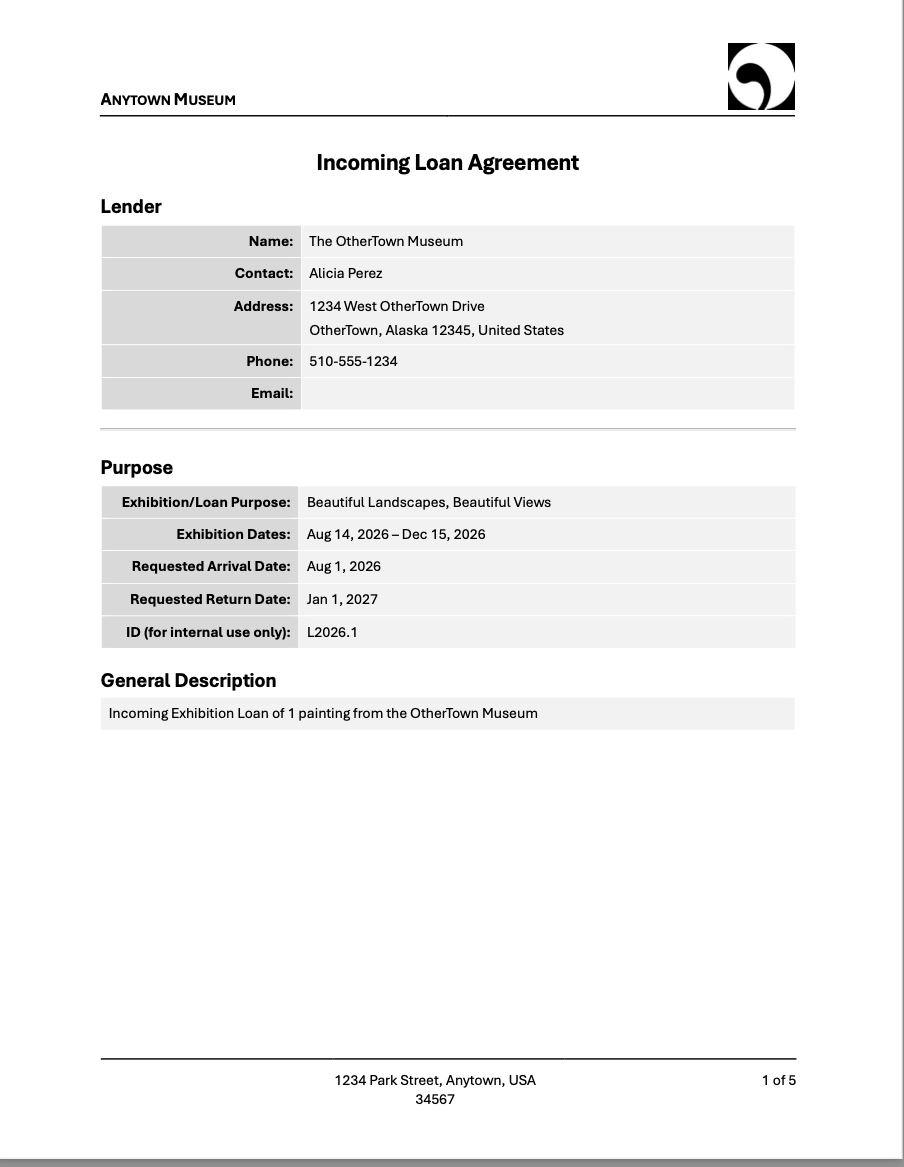
Start by assigning each Loan In Profile a distinct loan number, such as L2026.1, to identify that specific lender’s loan. This number is auto-assigned by CatalogIt using the current year and consecutive numbers thereafter for each loan during the year. Include the lender’s contact information, loan purpose, loan dates, and insurance or shipping terms. Use the related exhibition Profile to link the exhibition to the loan.
Next, upload any loan agreements, insurance certificates, and condition reports relevant to that lender’s group of objects directly to the loan Profile.
Step 3: Link Individual Loaned Objects
Each object borrowed under a specific Loan In Profile should have its own identifier tied to that Profile’s number.
- For example, if the lender’s Loan In Profile is L2026.1, the objects associated with it might be numbered L2026.1.1, L2026.1.2, L2026.1.3, and so on.
- This numbering structure clearly connects each object to both its Loan In Profile and the overarching Exhibition Profile (EXH2026.4).
- Within each object record, confirm that condition reports, insurance values, and handling requirements are up to date and accurately reflect lender expectations.
The system follows a clear hierarchy:
Exhibition Profile, Loan In Profiles, Individual Object Records. This structure ensures thorough documentation, easy tracking, and a clear link back to the parent exhibition, while also supporting accurate reporting, insurance management, and smooth post-exhibition return procedures.
Please see the MasterIt articles on Exhibitions and Incoming Loans for specific information on how to set up and use these Profiles.
How the Information Feeds the Loan Form
Each CatalogIt form—including loan forms, gift agreements, and temporary custody forms—follows a standard, consistent format, with the institution’s logo, name, and address automatically populated from the account information. Loan-specific data entered into CatalogIt, such as object details, lender or borrower information, insurance values, loan dates, and handling requirements, flows directly into the generated loan form, eliminating the need for duplicate data entry. By maintaining complete and accurate records, museum staff can produce forms that are thorough, consistent, and ready for review or signature with minimal additional editing.
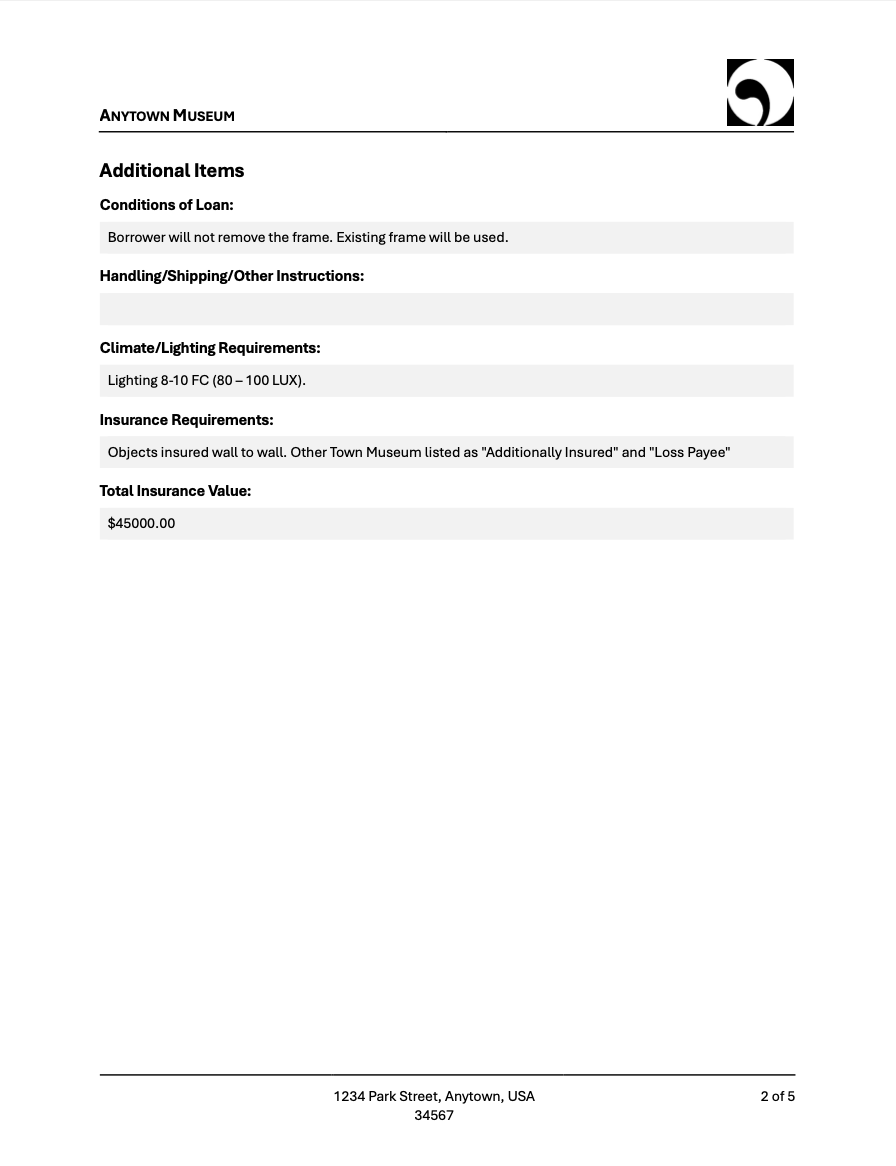
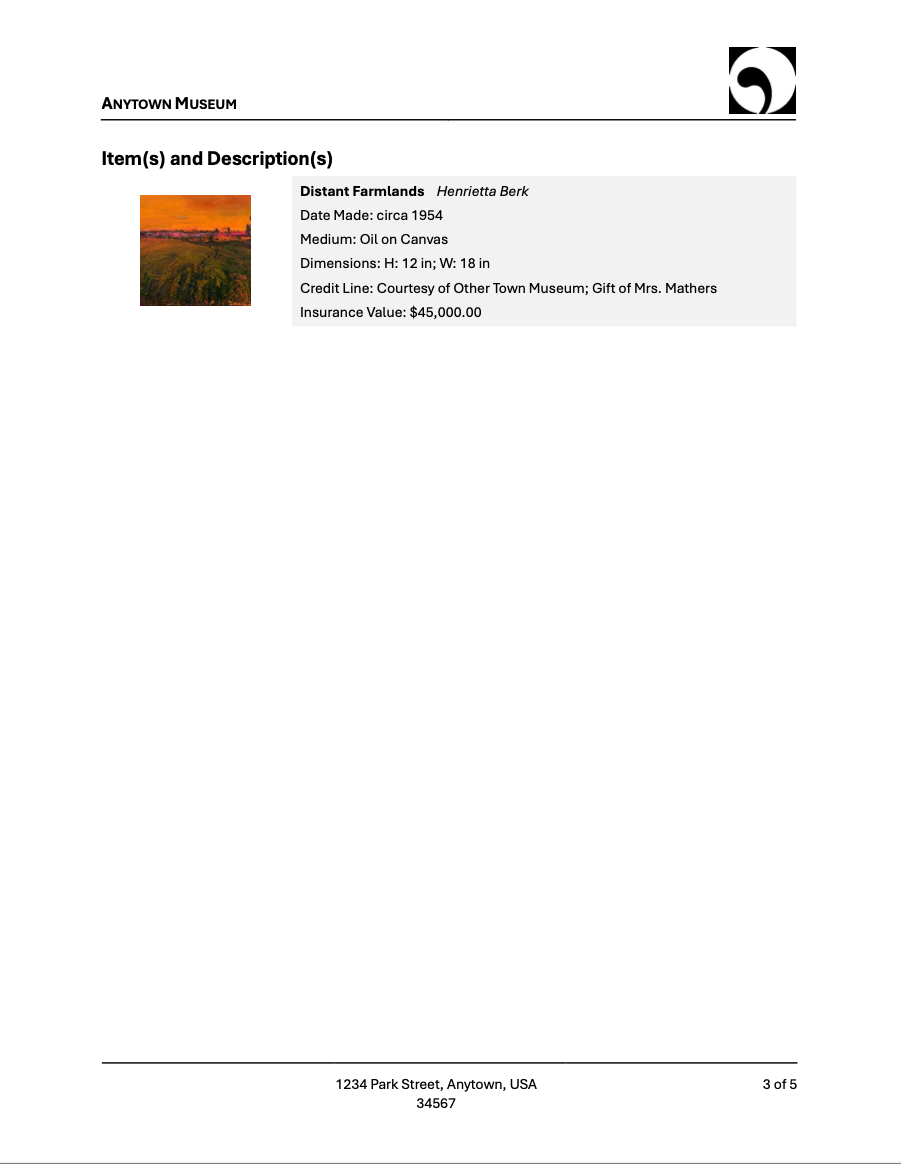
For Incoming Loans, the form draws information from three areas within CatalogIt: the Exhibition Profile, the Loan In Profile, and the individual Entry Records. The Exhibition Profile provides the exhibition title and dates, while the Loan In Profile supplies lender details, the full loan duration, and any specific loan conditions. Descriptive object information including maker, title, date, medium, dimensions, credit line, insurance values, and a thumbnail image is populated from the Entry Record to ensure the document reflects the most current data available.
If detailed object information is not entered into CatalogIt until items are received, those fields will remain blank on the generated form. This information can be added directly to the document after it has been downloaded and before the form is sent to the lender. This flexible connection between the database and the form saves time, reduces errors, and supports clear, accurate documentation throughout the loan process.
Creating an Incoming Loan Form
Ensure your Account Profile fields, found within Settings, are up to date. This is where you’ll add your institution’s name, address, and logo, which will automatically appear in the header and footer, as shown in the screenshots below. Full instructions on updating your account settings are available here.
.png)
.png)
Next, be sure that you input all information completely into the Exhibition Profile, Incoming Loan Profile, and the Entry record for each proposed loaned object.
Last, generate the form by selecting Forms then Loan Agreement from the Actions menu.
.png)
The selected form will automatically download as a .docx document. You can then edit any of the information before you either print it or save it as a PDF.
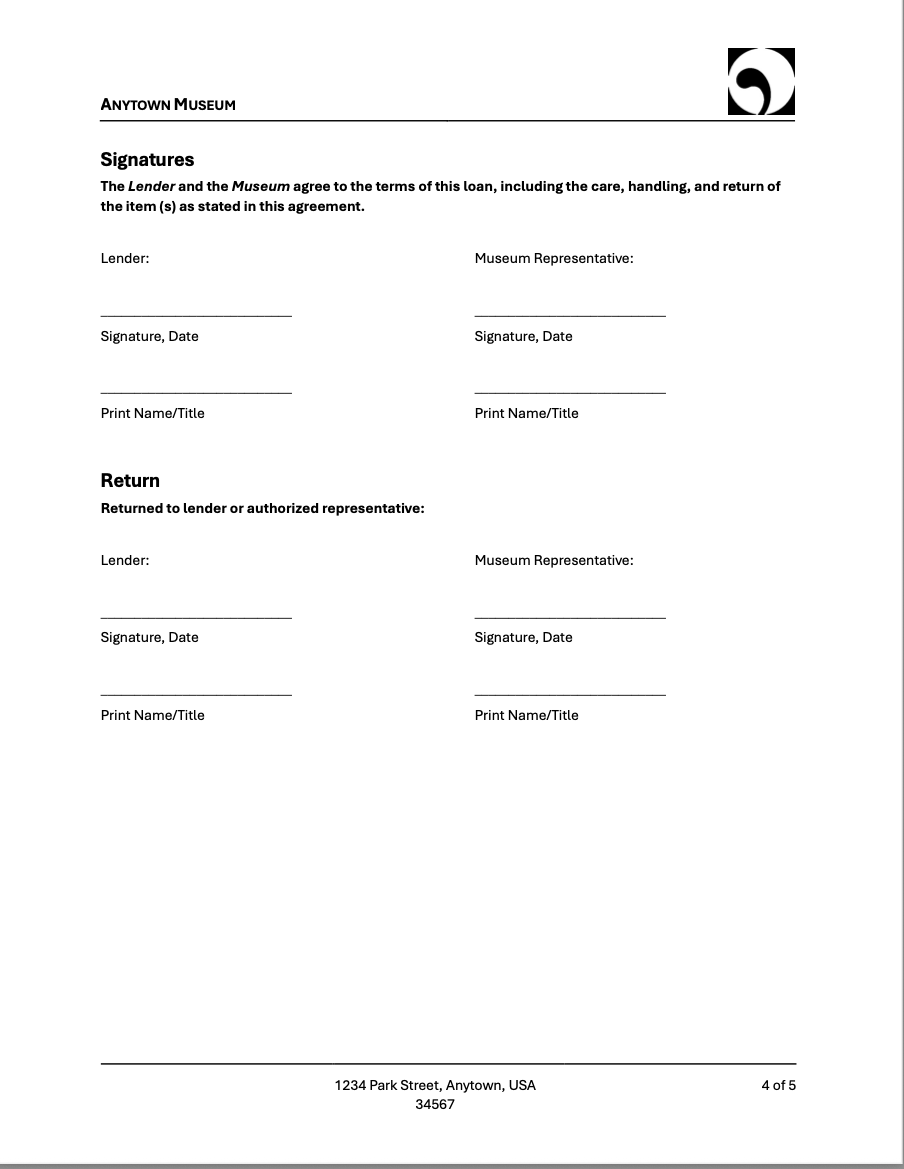
The last page of each form includes boilerplate conditions related to that form. The CatalogIt incoming loan form includes a sample, “Incoming Loan Conditions.” It is important to note that these conditions are provided only as an example. Each institution should use its own approved language. The conditions can be edited or replaced, as explained below.
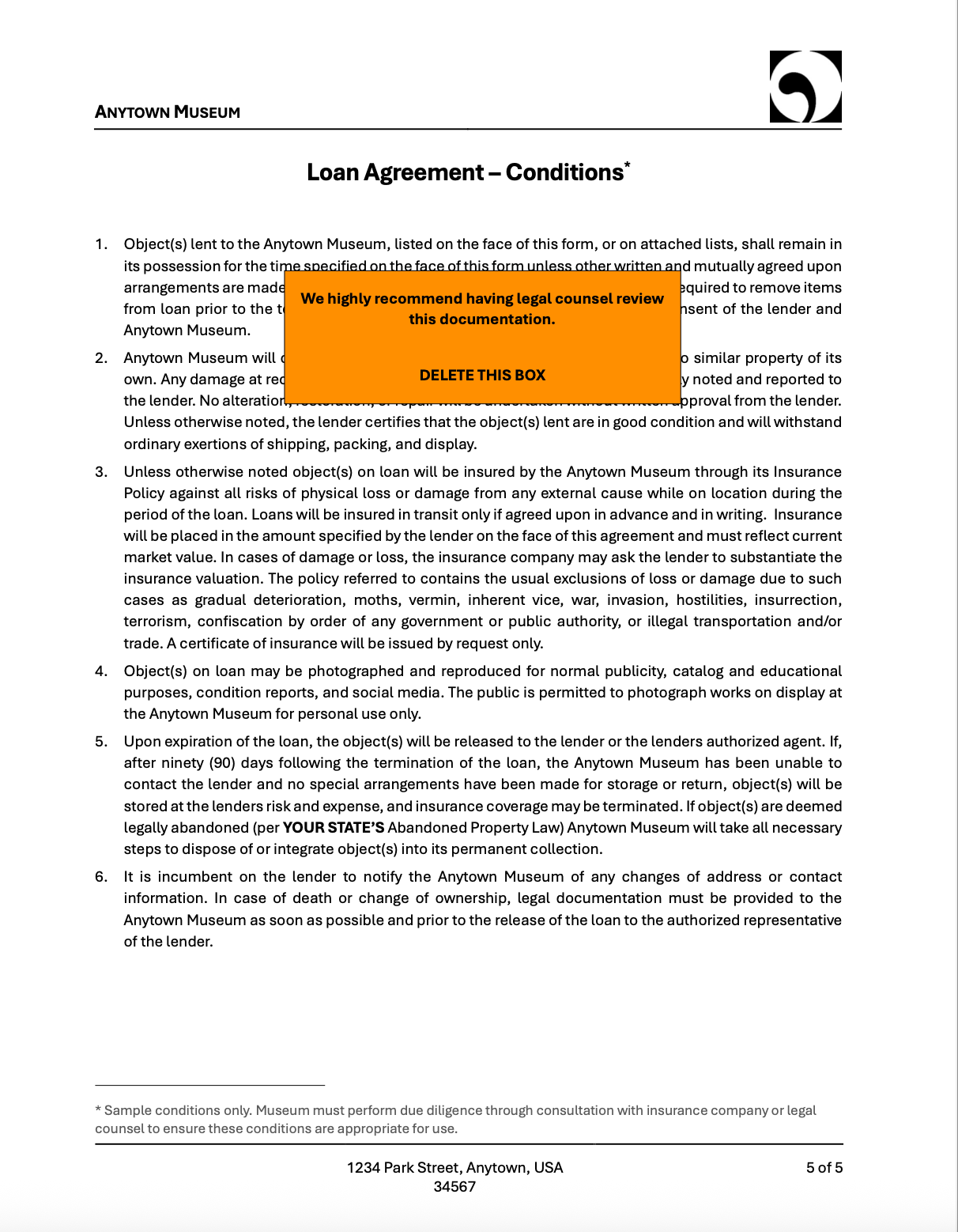
Customizing Form Templates
Form templates are stored in the Settings menu under Account Settings. Select Forms to view the list of existing templates.
.png)
Select the form you wish to update and download the current version. The file will open as a .docx document and can be fully edited in Word or Google Docs.
.png)
You may customize the conditions and any other text on the form. Fields that are exported from CatalogIt to populate the form cannot be altered.
After completing your edits, upload the updated document to replace the existing template. Templates may be replaced as often as needed. If a customized template is deleted or altered in error, the user can revert to the original default template.
.png)
Only users with Admin or Owner access levels are able to upload new or revised templates.
Conclusion
The ability to create forms in CatalogIt helps streamline everyday workflows and saves valuable time. Because information flows directly from your records into the finished document, staff can focus on the important work of caring for collections rather than re-entering data.
This consistency supports clearer communication with lenders and borrowers and helps ensure that every loan is documented in a professional, organized way. With a few simple steps, the system becomes a practical tool that supports both efficiency and good stewardship.